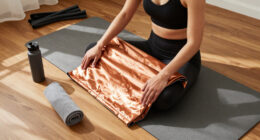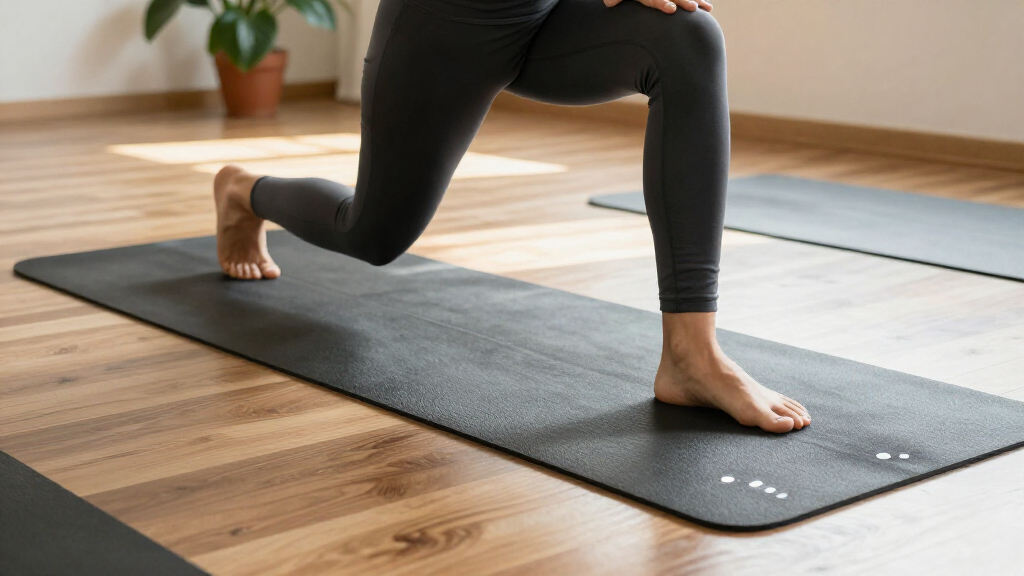

This guide helps beginners set up and use a heated yoga mat for a yoga session, then care for it afterward. You will check that the mat is suitable for your floor and practice, connect it safely, manage the heat, and confirm that it works as intended. Allow 10-15 minutes for setup; the session length is up to you.

Get workout gear delivered free with Prime
- Fast, free delivery on millions of items
- Prime Video, Amazon Music and more included
- Member-only deals all year

PAIDU Heating Mat, Extra Large Anti Slip Electric Heating Yoga Mat
- ✔ Dimensions: 26 x 72 inches
- ✔ Listed thickness: 9 mm
- ✔ Heat settings: 3 adjustable settings

WOHAO Heating Yoga Mat 72 x 27 Inches, Dark Gray
- ✔ Dimensions: 72 x 26.8 inches
- ✔ Thickness: 6.5 mm
- ✔ Color: Dark gray

WOHAO Heating Yoga Mat 72 x 27 Inches, Purple
- ✔ Dimensions: 72 x 26.8 inches
- ✔ Thickness: 6.5 mm
- ✔ Color: Purple
Difficulty: Beginner | Time: 10-15 minutes of setup, plus your yoga session
What You’ll Need
Tools & Materials:
- Heated yoga mat with its supplied power adapter or controller
- A stable, dry, level floor near a suitable power outlet
- A clean towel, if the manufacturer permits towel use
- A soft cloth for cleaning
Knowledge:
- Basic familiarity with plugging in an electrical appliance
- Ability to follow the mat’s operating and care instructions
Read the product manual before connecting the mat. Heated mats vary: some are designed to warm a room or provide gentle warmth, while others have specific temperature settings or restrictions. Use the manufacturer’s instructions for compatible floors, voltage, temperature, cleaning, and storage. Do not use a mat with a damaged cord, controller, plug, or surface.
PAIDU Heating Mat, Extra Large Anti Slip Electric Heating Yoga Mat
The PAIDU is the most distinct choice in this lineup because it lists a 9 mm thickness, compared with 6.5 mm for both WOHAO mats. That extra padding may make seated poses, floor stretches, and relaxation more comfortable on a hard surface. Its 26 by 72 inch footprint is also broadly comparable to the WOHAO dimensions, so the advantage here is thickness rather than extra practice area.For warmth, PAIDU lists three adjustable settings, a thermostat, a 90-minute automatic shutoff, and overheat protection. Its PU top is described as waterproof and wear-resistant, while the TPE base is intended to resist slipping. These are useful floor-mat features, though the listing does not give a temperature range or establish how secure the surface feels during dynamic yoga. Compared with the WOHAO pair, PAIDU offers more stated cushioning but less listing detail about exact material care and dimensions.The manufacturer says to use the mat on a flat surface because unevenness may damage the internal heating component, and not to cover it while powered. Those constraints matter if we want to move the mat between rooms or use props beneath it. We would choose it for gentle, mostly grounded practice, and skip it if we need a proven grippy surface for flowing sequences.
Pros:
- Listed 9 mm thickness is greater than the WOHAO models’ 6.5 mm.
- Three adjustable heat settings and thermostat control.
- 90-minute automatic shutoff and overheat protection are listed.
- PU top and TPE underside are described as waterproof and slip-resistant.
Cons:
- The supplied listing gives no temperature range, warmup time, or power information.
- Flat-surface use is required to avoid potential damage to the heating component.
- The description does not verify grip during demanding yoga poses.
Best for: Buyers who prioritize a thicker heated surface for seated yoga, stretching, or floor exercises.
Not ideal for: People who need verified traction for vigorous standing flows or a mat that can be used on uneven flooring.
Bottom line: Choose PAIDU when extra listed cushioning matters most, while treating it as a gentle-practice floor heater rather than a proven studio mat.
“Choose PAIDU when extra listed cushioning matters most, while treating it as a gentle-practice floor heater rather than a proven studio mat.”
WOHAO Heating Yoga Mat 72 x 27 Inches, Dark Gray
The dark gray WOHAO is the slimmer alternative to PAIDU: it lists a 6.5 mm thickness against PAIDU’s 9 mm. That difference may suit buyers who want some padding without as much height underfoot, though neither listing supplies enough grip testing to determine how either behaves in standing poses. Its listed surface area is 72 by 26.8 inches, essentially the same length and width as PAIDU.WOHAO’s description spells out a practical control and safety package: three temperature settings, a thermostat, 90-minute auto-off, and overheat protection. It also lists a PU top and TPE bottom, with CE and FCC certification claims. Compared with the purple WOHAO, the stated construction and controls are the same; the choice between those two is chiefly a color preference. Compared with PAIDU, the more obvious distinction is the thinner profile, not an expanded feature set.The mat is described as waterproof and suitable for yoga, Pilates, and general floor use, but the care details say “dry clean only,” so buyers should clarify cleaning before relying on the waterproof claim. The maker also cautions against uneven placement and covering the mat while it is on. We see this as a reasonable fit for gentle sessions where a lower profile and dark gray finish are priorities, but not for anyone choosing solely on assumed hot-yoga grip.
Pros:
- 6.5 mm profile is slimmer than PAIDU’s listed 9 mm thickness.
- Three heat settings with thermostat control.
- 90-minute shutoff and overheat protection are listed.
- Dark gray color and nearly six-foot length suit a range of floor routines.
Cons:
- Thinner than PAIDU for buyers prioritizing cushioning.
- Care instructions say dry clean only despite the waterproof surface claim.
- Temperature range and grip performance are not specified.
Best for: Buyers wanting a lower-profile heated mat in dark gray for gentle yoga, Pilates, or warm floor stretching.
Not ideal for: Those seeking the thickest cushioning, verified traction for flowing yoga, or a clearly washable mat.
Bottom line: Pick the dark gray WOHAO for a slimmer, feature-complete heated floor mat when its care limits and unverified yoga grip are acceptable.
“Pick the dark gray WOHAO for a slimmer, feature-complete heated floor mat when its care limits and unverified yoga grip are acceptable.”
WOHAO Heating Yoga Mat 72 x 27 Inches, Purple
The purple WOHAO offers buyers a color choice while keeping the same listed dimensions and core features as the dark gray version: 72 by 26.8 inches, 6.5 mm thickness, three heat settings, a 90-minute shutoff, and overheat protection. As a result, we would not rank it above its near-identical sibling on performance. Its role is straightforward: it is the same slimmer heated floor-mat proposition for someone who prefers purple.Against PAIDU, the WOHAO has less listed thickness, so PAIDU is the more compelling option if cushioning is the deciding factor. WOHAO, however, provides explicit material and care details: a PU top, TPE base, and dry-clean-only instruction. The maker describes the surface as waterproof and the base as non-slip, but no supplied information demonstrates traction during sweaty or fast transitions. That distinction is important because heat and cushioning alone do not make a floor mat suitable for every yoga style.Use it on a flat floor and leave it uncovered while operating, as the description instructs. Those limits make it better suited to planned sessions on a clear, level surface than impromptu use over rugs or uneven flooring. We would select purple over the gray model only for the appearance; buyers wanting more padding should favor PAIDU, while buyers wanting a thinner WOHAO can choose whichever color fits their space.
Pros:
- Same listed 72 x 26.8 inch footprint as the dark gray WOHAO.
- Three heat settings and thermostat control.
- 90-minute auto-off and overheat protection are listed.
- Purple finish differentiates it from the otherwise matching gray model.
Cons:
- No stated performance advantage over the dark gray WOHAO.
- Listed 6.5 mm thickness is less than PAIDU’s 9 mm.
- Dry-clean-only instructions and unverified grip may limit yoga use.
Best for: Buyers who want the WOHAO feature set and prefer a purple mat for a dedicated, level practice area.
Not ideal for: Anyone who needs more cushioning than 6.5 mm, proven grip for hot yoga, or flexible cleaning options.
Bottom line: Choose the purple WOHAO when color is the deciding factor and the thinner, gently used heated-mat format fits your practice.
“Choose the purple WOHAO when color is the deciding factor and the thinner, gently used heated-mat format fits your practice.”
As an Amazon Associate we earn from qualifying purchases.
Before You Start
Check the mat’s label and manual for its intended use, warm-up time, and maximum settings. Place it where the cord can reach an outlet without crossing your practice area or creating a trip hazard. Keep the mat and your hands dry when connecting it. If the manufacturer advises against use by people with reduced heat sensitivity or particular health conditions, follow that advice and seek guidance from a qualified health professional before use.
Step-by-Step Instructions
Step 1: Inspect the mat and power cable
Unroll the mat on a clean, dry surface and examine both sides, the plug, the cable, and the controller. Look for tears, exposed wires, crushed sections, loose connections, scorch marks, or signs of moisture. If you find damage, do not connect or use the mat; contact the seller or manufacturer for guidance.
Tip:Check the manual for a pre-use inspection procedure and any limits on bending, folding, or rolling the mat.
Check: The mat, cable, plug, and controller appear intact and dry.
Step 2: Choose a suitable floor
Set the mat on a firm, level, dry floor that the manufacturer lists as compatible. Smooth it flat so it does not rock, curl, or bunch. Keep it away from water, radiators, open flames, and other heat sources. Leave the controller and cable outside the area where you will step or place your hands.
Tip:Do not place an electric mat on a wet floor or over another heating device. Follow the manual if it limits use on carpet or other soft surfaces.
Check: The mat lies flat, feels stable under light pressure, and the cable runs clear of your movement area.
Step 3: Connect the mat as directed
With the mat switched off, connect the controller and power adapter in the order shown in the manual. Plug the adapter directly into a suitable outlet unless the manufacturer says otherwise. Do not use an extension cord, power strip, or adapter unless the manual specifically permits it. Keep the connector and outlet accessible.
Tip:Never pull the mat by its cable or force a connector into place. Stop if a connection feels loose or does not fit.
Check: All connections are secure, the cable is undamaged, and the mat is switched off before you choose a setting.
Step 4: Select a low starting heat
Turn on the mat and select the lowest comfortable setting recommended for yoga. If it has a timer, set a session length permitted by the manual. Allow the stated warm-up period before practice; do not assume the mat is ready based only on its indicator light. If the mat has no adjustable control, use it as described by its manufacturer.
Tip:Start with less heat than you think you need. Your body may feel warmer once you begin moving, and a towel can change how heat reaches you.
Check: The controller displays or indicates the selected setting, and the mat begins warming without unusual noise, smell, or hot spots.
Step 5: Check the surface before practicing
Place your palm briefly on several areas of the mat to check for an even, comfortable warmth. Do not test it with prolonged skin contact. If one area feels much hotter than the others, switch the mat off and unplug it when safe to do so. Let it cool, then contact the manufacturer rather than practicing on it.
Tip:A heated mat should not cause pain, burning, or numbness. Stop using it if you notice any of these sensations.
Check: The warmth feels mild and reasonably even across the practice surface.
Step 6: Practice while monitoring comfort
Begin your session at a gentle pace and pay attention to how you feel. Drink water as appropriate for your practice, take breaks, and lower or switch off the heat if you become uncomfortable, dizzy, nauseated, or unusually flushed. Do not fall asleep on a heated mat or leave it running unattended unless the manual explicitly allows that use.
Tip:Use a towel only if the manufacturer permits it, and keep it flat so it cannot cover the controller or obstruct ventilation.
Check: You can move safely, stay comfortable, and adjust or stop the heat without interrupting access to the controls.
Step 7: Switch off, unplug, and clean
Turn the mat off after practice and unplug it by holding the plug, not the cable. Let the mat cool fully before cleaning. Wipe the surface with a soft cloth using only cleaning products permitted by the manual. Keep liquid away from electrical connections, and never immerse or machine-wash the mat unless its instructions explicitly allow it.
Tip:Do not roll or fold the mat while it is warm or connected. Check the manual for the correct storage method.
Check: The mat is switched off, disconnected, cool, and clean without moisture around its connectors.
Step 8: Store the mat correctly
Store the mat in the position and conditions specified by its manufacturer. Coil or fold it only as directed, and avoid placing heavy items on top. Keep the cable loosely arranged without sharp bends, and store the mat in a dry place away from heat and moisture.
Check: The mat and accessories are dry, protected from crushing, and ready for a future inspection.
Common Mistakes to Avoid
- Using the mat on a floor or surface the manufacturer does not allow. — Check the manual’s placement guidance before setup, and use a firm, level, dry surface listed as compatible.
- Starting at a high setting or leaving the mat on longer than intended. — Begin at the lowest recommended heat, use the timer if provided, and adjust based on comfort and the manual.
- Cleaning the mat with excess liquid or an unapproved product. — Unplug and cool the mat first, then use only the cleaning method and products specified by the manufacturer.
- Rolling the mat tightly around a sharply bent cable or storing it while warm. — Let it cool and follow the product’s storage instructions; keep the cord free of tight bends.
Troubleshooting
Problem: The mat does not warm up.
Solution: Switch it off and check that the outlet works and connections match the manual. Inspect the plug and cable for damage. Do not open the controller or attempt repairs; contact the manufacturer if the mat still does not heat.
Problem: The mat heats unevenly or develops a hot spot.
Solution: Stop the session, switch off the mat, and unplug it when safe. Let it cool. Do not resume use if the area remains unusually hot; ask the manufacturer to assess it.
Problem: The controller shows an error or shuts the mat off.
Solution: Turn the mat off and consult the manual’s error-code or reset instructions. Allow it to cool if directed. If the error returns, stop using the mat and contact the manufacturer.
Problem: The surface feels too hot during practice.
Solution: Stop moving, lower the setting or switch the mat off, and leave the mat if needed. Let your body cool and follow the manual before restarting at a lower setting. Stop using it if discomfort continues.
What Success Looks Like
The task is complete when the mat has been inspected, placed on a compatible dry floor, connected and warmed according to its manual, and used at a comfortable setting without damage, unusual heat, or electrical problems. After practice, it is switched off, unplugged, cool, cleaned with an approved method, and stored as directed.
Next Steps
Before each session, inspect the mat and cable again and confirm that the floor and outlet remain suitable. Clean the surface after use as directed, and follow the manufacturer’s schedule for care and replacement. If damage, persistent uneven heating, or repeated controller errors appear, stop using the mat and contact the manufacturer or a qualified service provider.
Frequently Asked Questions
How long should I preheat a heated yoga mat?
Use the warm-up time stated in the product manual. Mats differ in design and heating speed, so do not rely on a general time or increase the setting to speed it up.
Can I put a towel on a heated yoga mat?
Only if the manufacturer permits it. A towel can change how heat reaches your body, so keep it flat and follow any instructions about materials or coverage.
Can I use a heated yoga mat on carpet?
Check the manual. Some mats require a firm surface or restrict carpet use. If the instructions do not clearly allow your floor type, ask the manufacturer before using it there.
What should I do if I smell something unusual?
Switch the mat off and unplug it if you can do so safely. Do not continue the session or try to repair the mat. Contact the manufacturer, especially if the odor returns or you see discoloration or damage.
Black Friday Picks

Fitbit Versa 4 Fitness Smartwatch with GPS and Heart Rate Monitoring, Black/Graphite
As an affiliate, we earn on qualifying purchases.